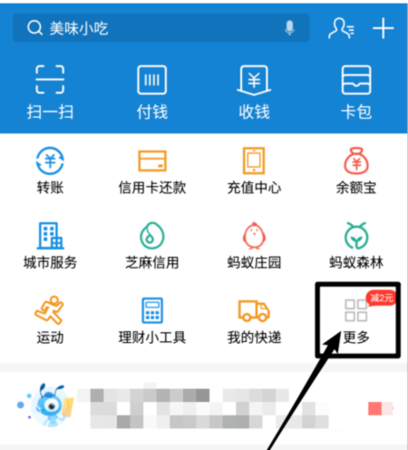
# Alipay # Alipay, as the largest third-party payment platform in China, requires all users to complete real-name authentication in order to ensure user account security and transaction security. However, in some cases, users may need to change their real-name authentication information. The following will give you a detailed introduction to the process and precautions for changing Alipay's real-name authentication.

1. Alipay’s process of replacing real-name authentication
1. Log in to the Alipay client or official website and enter the personal center page.
2. On the Personal Center page, click the "Account and Security" option.
3. On the Account and Security page, click the "Real-name Authentication" option.
4. After entering the real-name authentication page, click the "Change Real-name Authentication" button.
5. According to the prompts on the page, enter the new real-name authentication information, including name, ID number, etc.
6. After submitting the new real-name authentication information, Alipay will verify it.
7. After passing the verification, Alipay will send a verification code message to your bound mobile phone.
8. You need to enter the verification code you received to complete the verification.
9. After the verification is passed, Alipay will notify you by SMS or email that the real-name authentication has been successfully replaced.

2. Things to note when changing Alipay’s real-name authentication
1. Make sure the new real-name authentication information entered is accurate. Once submitted, if the information is incorrect, it cannot be modified and you can only resubmit a new real-name authentication application.
2. Replacing the real-name authentication requires passing the review before it can take effect successfully. If the information does not meet the requirements, the review may fail and the application needs to be resubmitted.
3. During the process of changing the real-name authentication, be sure to keep your mobile phone number open to facilitate receiving verification code messages.
4. Alipay requires that the real-name authentication information be consistent with the bound bank card information. Therefore, after changing the real-name authentication, you may need to change the bound bank card at the same time.
5. During the replacement of real-name authentication, your Alipay account may be restricted. Therefore, please try to avoid important transactions or withdrawal operations during the process to avoid affecting normal use.
6. If the real-name authentication information fails to be replaced or other problems are encountered, it is recommended to contact Alipay customer service for help in time to obtain professional solutions.

To sum up, Alipay's process for replacing real-name authentication is simple and clear, but it requires users to fill in the information accurately and keep their mobile phone numbers open in a timely manner during the review period. At the same time, important transactions or withdrawal operations should be avoided during the replacement period to avoid affecting normal use. If you encounter problems, you can contact Alipay customer service for help.