From March 21
Personal tax refund for 2025
Can be processed without reservation
The editor has compiled it for everyone
Individual tax refund application portal + complete guide
Come and take a look↓↓↓
Individual tax refund processing time and processing conditions
Processing time
Personal tax settlement time for 2025: March 1 to June 30, 2026
Appointment-free processing time for individual tax settlement in 2025: March 21 to June 30. Taxpayers do not need to make an appointment and can handle it at any time.
Required conditions
If one of the following circumstances is met, taxpayers need to handle annual settlement:
(1) The amount of prepaid tax is greater than the annual final tax payable and a tax refund is applied for;
(2) The comprehensive income obtained during the tax year exceeds 120,000 yuan and the amount of back tax required exceeds 400 yuan.
If a taxpayer has prepaid personal income tax in accordance with the law during the tax year and meets one of the following circumstances, it is not necessary to conduct annual settlement:
(1) The annual final calculation requires tax payment but the comprehensive income does not exceed 120,000 yuan for the whole year;
(2) The amount of tax to be paid in the annual final calculation does not exceed 400 yuan;
(3) The amount of prepaid tax is consistent with the annual final tax payable;
(4) Those who meet the conditions for annual tax refund but do not apply for tax refund.
Attention friends who have year-end bonuses
Choosing the right tax calculation method for year-end bonus
You can get thousands more!
How to choose the tax calculation method for year-end bonus
Year-end bonus tax calculation method
Method 1: Separate tax calculation
The year-end bonus will not be incorporated into the current year's wages and salaries, and the tax will be calculated separately according to the method of "dividing by 12 months".
Method 2: Incorporate into comprehensive income tax calculation
The year-end bonus and the annual salary, labor remuneration and other income are combined together, and after deducting the 60,000 yuan threshold, three insurances and one housing fund, special additional deductions, etc., the tax is calculated according to the annual comprehensive income tax rate table.
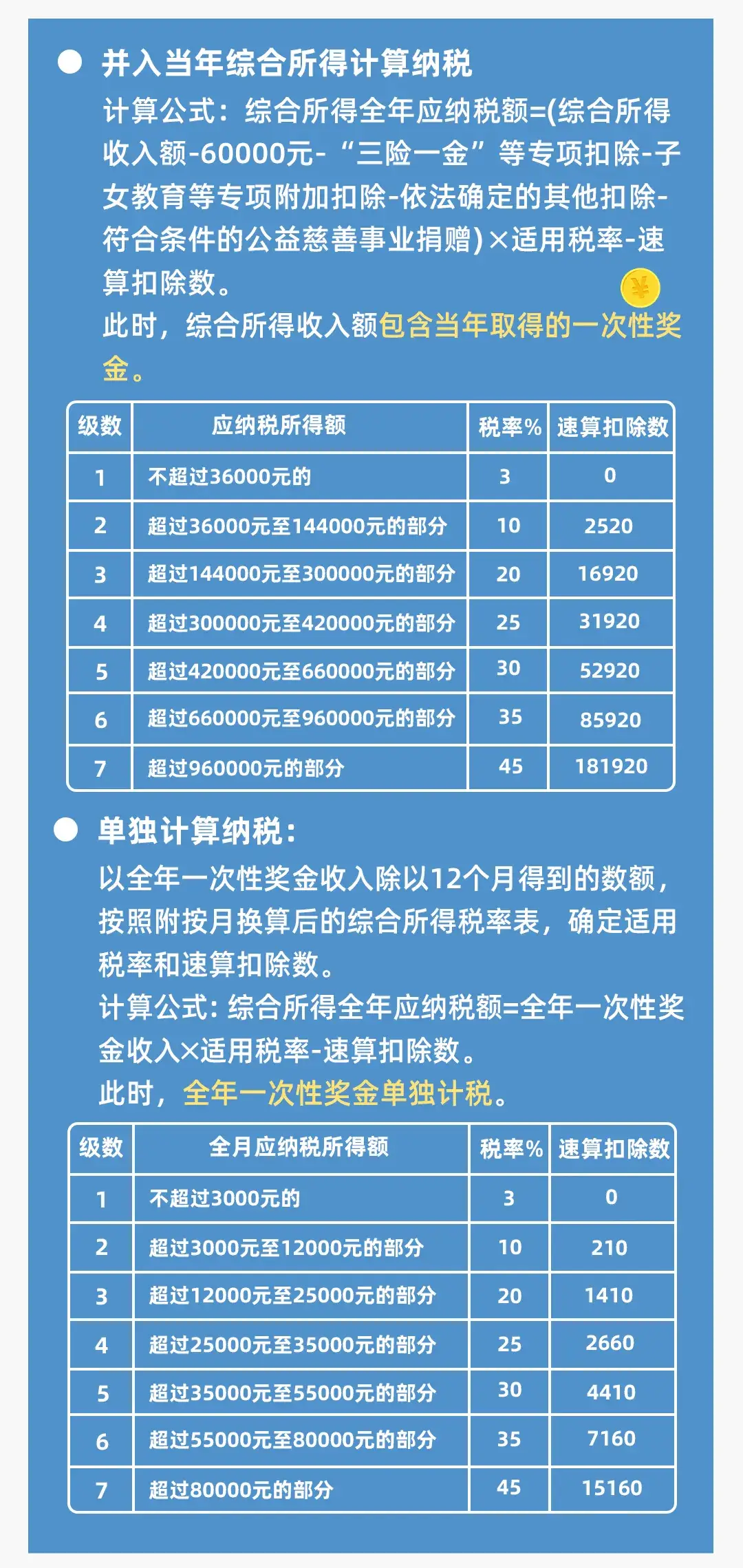
1️⃣If you choose to incorporate the annual one-time bonus into the comprehensive income of the year:
The first step is to calculate the taxable income on comprehensive income.
The second step is to find the applicable tax rate.
The third step is to calculate the annual tax payable on comprehensive income.
2️⃣ If you choose to calculate separate tax for one-time bonus throughout the year:
The first step is to convert the annual one-time bonus into monthly bonus income.
36000÷12=3000 yuan;
The second step is to find the applicable tax rate for the annual one-time bonus.
From the comprehensive income monthly tax rate table, find that the corresponding tax rate for 3,000 yuan is 3%, and the quick calculation deduction is 0;
The third step is to calculate the tax payable on the annual one-time bonus.
36000×3%-0=1080 yuan;
The fourth step is to calculate the taxable income from wages and salaries.
The fifth step is to find the applicable tax rate for wages and salaries.
The sixth step is to calculate the tax payable on wages and salaries.
The seventh step is to calculate the annual tax payable on comprehensive income.
1080+8280=9360 yuan.
After comparison, it can be seen that Xiao Zhang pays less tax if he chooses to calculate taxes separately. He can choose to apply the preferential personal income tax policy for annual one-time bonuses to reduce his tax burden.
Individual tax refund processing entrance and process
Check in
2025 personal tax refund processing portal: Personal Income Tax App
Operation process:
1. Log in to the Personal Income Tax App, view the topic [2025 Comprehensive Income Annual Summary], and click [Start Declaration].

Source: Shaanxi Taxation (the same below)
2. Or in the [Process & Check] function, click [Annual Comprehensive Income Summary], select the reporting year [2025], and enter the annual summary.
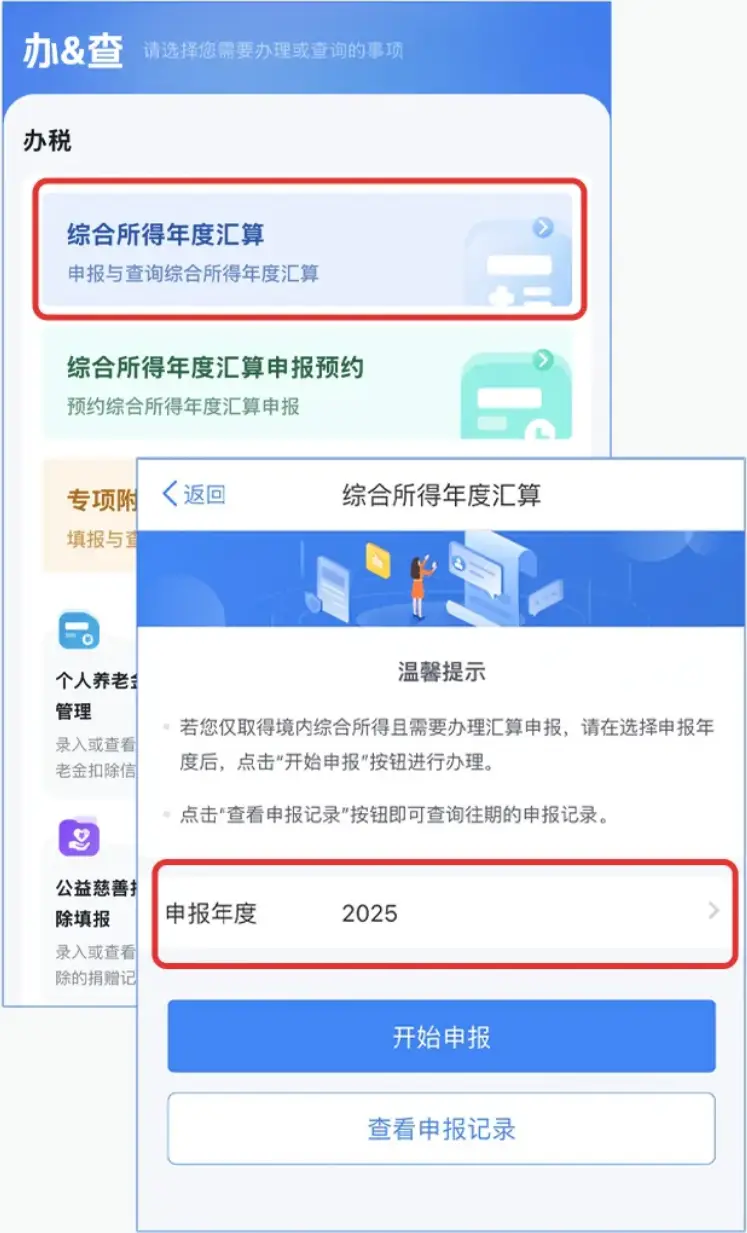
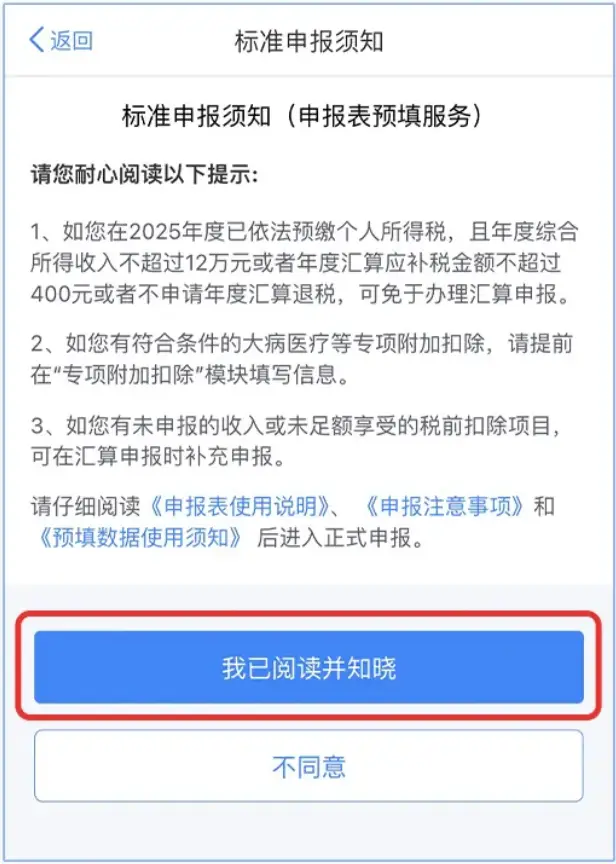
3. Taking standard declaration as an example, please read the declaration instructions carefully before declaring and click [I have read and understand].
4. Enter the basic information interface, check [Basic Personal Information], select or confirm [Employment Unit], and click [Next]. If you do not have an employer, you can select your main source of income, place of household registration, or place of habitual residence.
5. Enter the income and pre-tax deduction interface. Please remind everyone that when the annual one-time bonus is calculated annually, please follow the system prompts and click to enter [Salaries] to confirm.
You can choose to use the bonus tax calculation method to calculate the "one-time bonus throughout the year" [comprehensive income tax], or choose one of
Separate tax calculation].
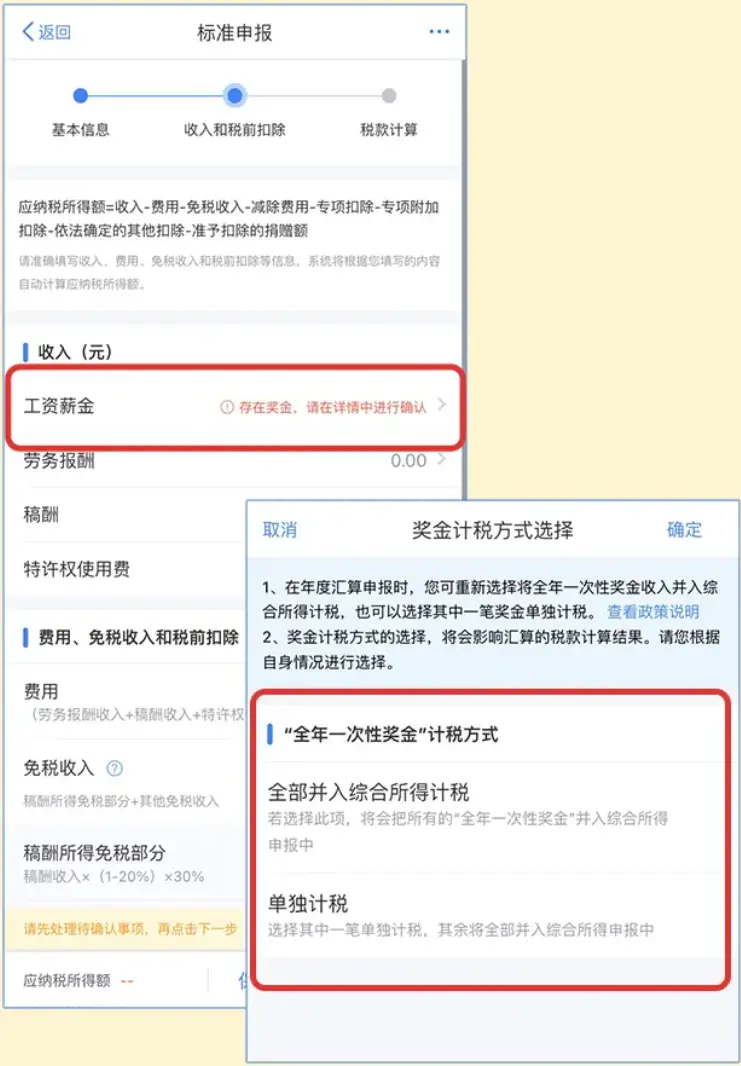
6. Enter the tax calculation interface. After you have verified the income, expenses, tax-free income and pre-tax deductions, etc., click directly
Next step】Enter the tax calculation interface.
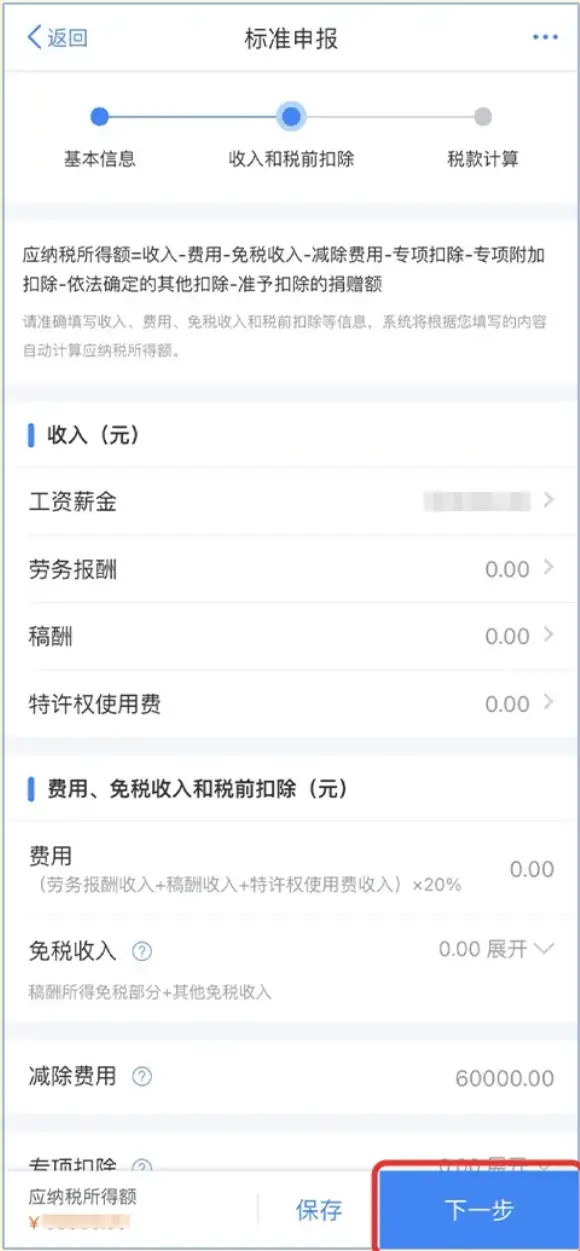
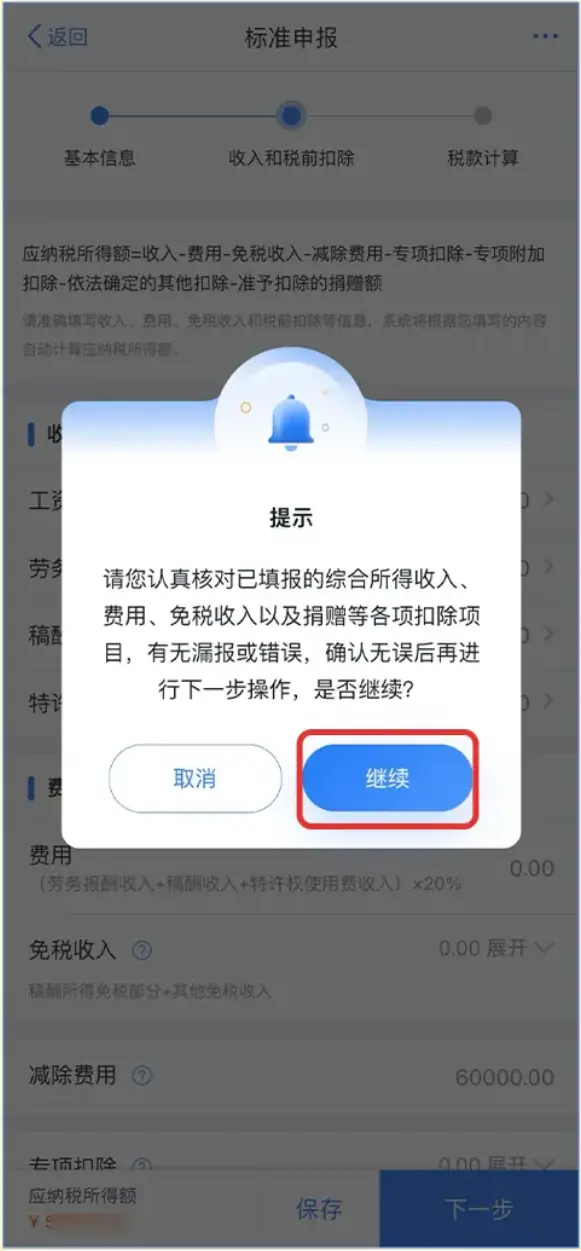
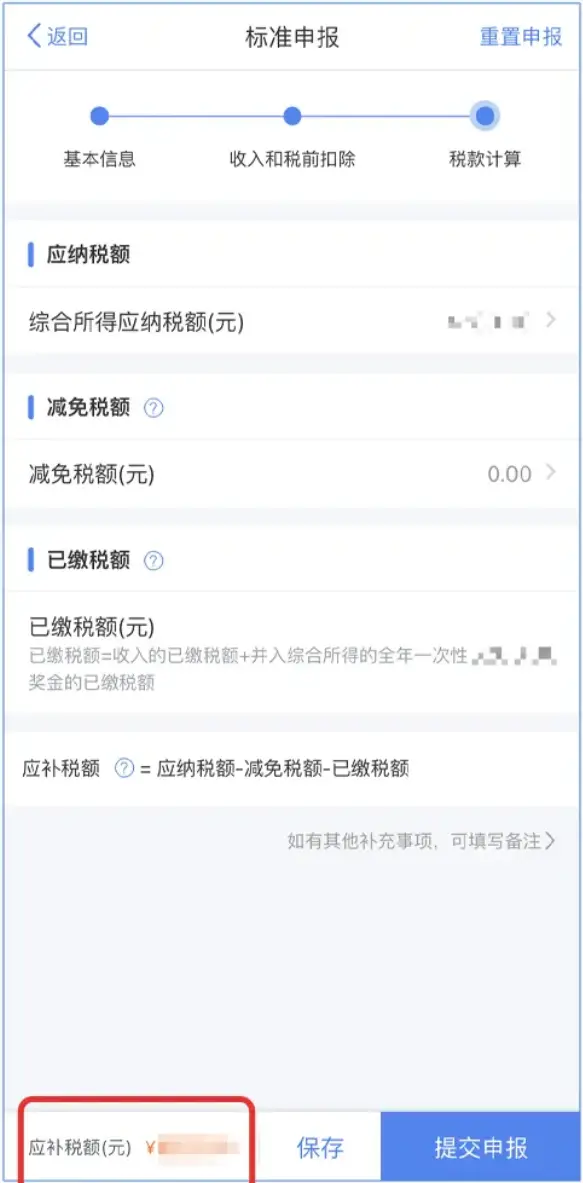
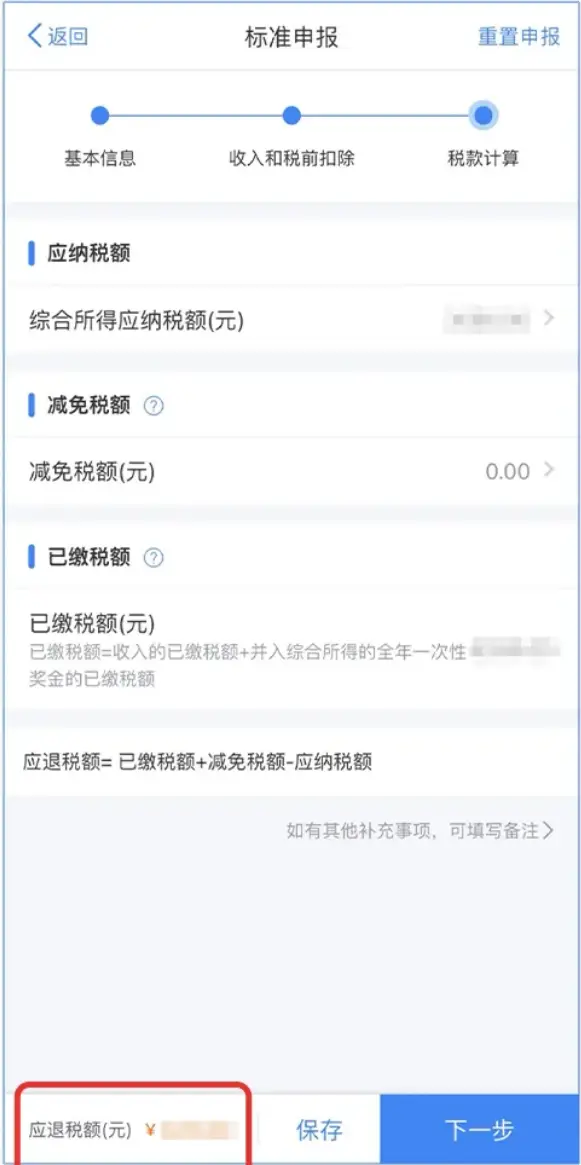
7. The system will automatically calculate your
Amount of tax payable] or
Tax Refund Amount] and is displayed on the lower left.
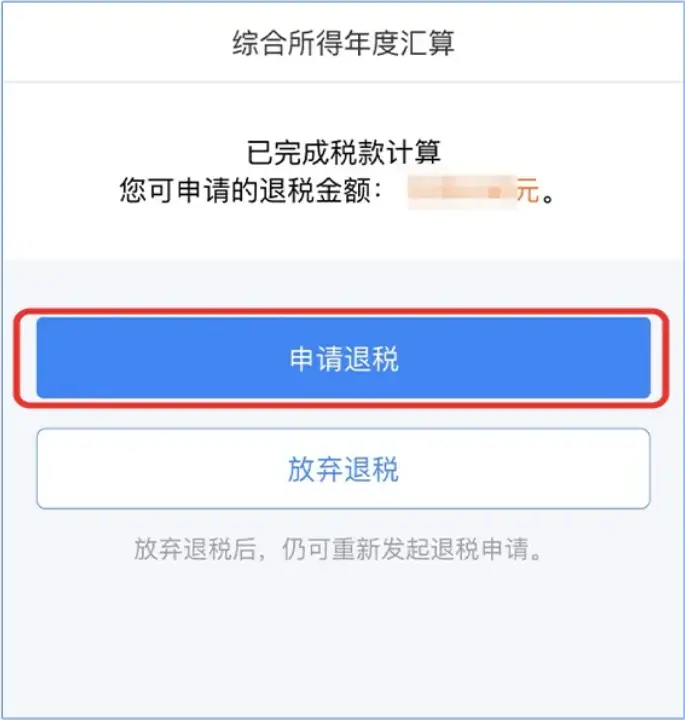
8. After the declaration is successful, if a tax refund is required, jump to the tax refund page.
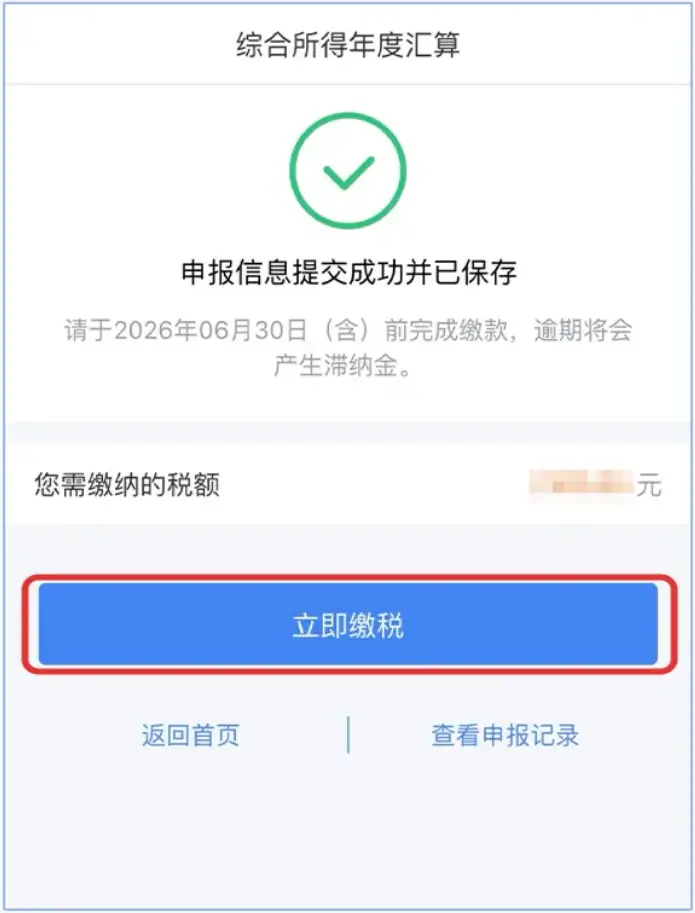
9. If you need to pay back taxes, jump to the tax payment page.
If you want to know more about personal tax refund
Processing procedures, tax refund deduction standards,
Individual tax thresholds and other content