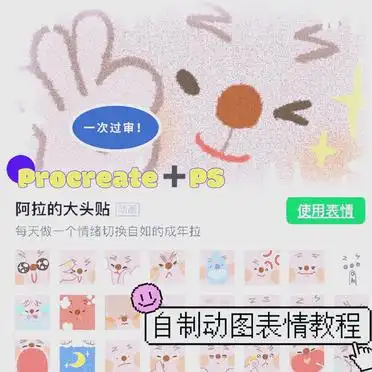
A complete guide to making WeChat dynamic emoticons and easily pass the review!
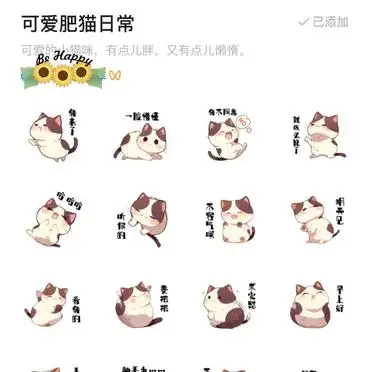
Want to make your own WeChat dynamic emoticon pack? Here is a detailed tutorial to teach you how to pass the review in one go and use the animated emoticons you draw!
️ Production tools:
Draw animations using Procreate
Format and frame animation using Photoshop
Procreate section:
Preparation before painting:
Recommended artboard size (2048️2048 pixels, resolution 300dpi)
Use a large drawing board to ensure that the emoticon remains clear even after it is shrunk.
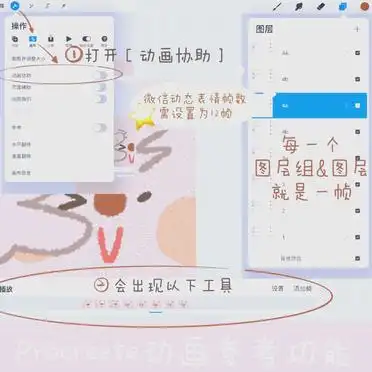
Animation reference function (see the second part of the tutorial for details)
Quickly experience how to make animated pictures: after drawing the first picture, draw it again to get a dynamic emoticon package with a shaking effect.
Pictures need to be drawn in advance:
Emoticon main image (GIF, 240️240 pixels, ≤500kb)
Expression thumbnail (PNG, 120️120 pixels, ≤200kb)
Emoticon cover image (PNG, 240️240 pixels, ≤500kb)
Chat page icon (PNG, 50️50 pixels, ≤100kb)
Details page banner (PNG or JPEG, 750️400 pixels, ≤500kb)
Use a transparent background. If the emoticon is not full, you need to add a 2-pixel white stroke in Photoshop, but the emoticon cover image and chat page icon do not need to be stroked.
Pictures that need to be drawn to express appreciation:
Appreciation guide image (GIF or PNG, 750️560 pixels, ≤100kb)
Acknowledgments image (GIF or PNG, 750️750 pixels, ≤200kb)
Avoid using transparent backgrounds
Selection of number of dynamic emoticon packages to upload: 8/16/24
The main emoticon image and thumbnails are named 01, 02…, and the dynamic emoticons are set to play in a permanent loop.
Photoshop part:
Preparation: Export all expression files to psd format in Procreate and transfer them to the computer
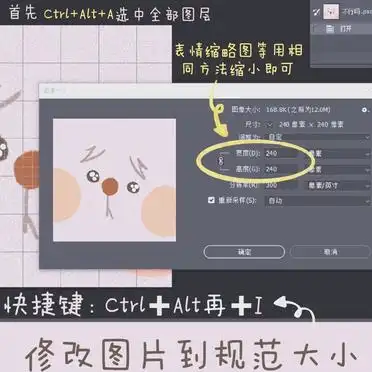
How to modify the size of emoticon pictures (see the third part of the tutorial for details)
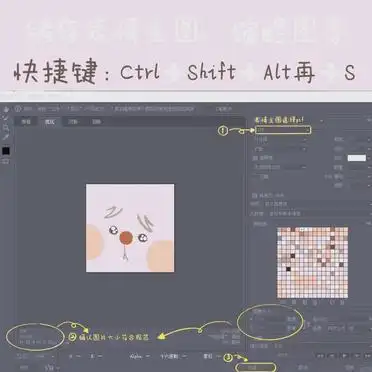
Method of making frame animation (the storage file name must be the corresponding number, please see the fourth and fifth parts of the tutorial for details)
Use the above method to modify other pictures to the standard size and save them
WeChat emoticon platform upload:
Open the WeChat emoticon platform, follow the steps to upload the prepared files, click Submit, and wait for review.
I hope this tutorial can help you successfully create and pass the review of your own WeChat dynamic emoticon package!